How Construction Leaders Can Deliver the Board's AI and Efficiency Mandate
Boards across construction are asking their executives for the same thing: use AI and modern technology to take cost out of the business, automate what can be automated, and set the company up to grow without its overheads growing at the same rate. The mandate is reasonable. The way it gets delivered often isn't. The biggest efficiency gains in a construction business sit in the handoffs between people, systems and sites, and they last only when the better process lives in the tools teams use every day. Teralo is built to put it there, on top of the way you already run projects.
This article looks at why efficiency mandates stall, where the cost actually sits, and how three parts of Teralo meet the mandate without asking your teams to stop and relearn how they work.
Why Efficiency Mandates Stall
A chief executive we met recently described the pressure plainly. The board wants cost out and automation in, and it wants to see results soon. Most leadership teams respond in good faith, and most of their responses fall into one of two traps.
Aiming at the visible problem, not the expensive one
The first move is usually the most visible one: a general AI subscription for head office, a new point tool for one department, a freeze on hiring. Each can be defended. None of them touches the work that eats the most hours on a project: typing the same information into a second system, chasing approvals through inboxes, hunting for the current drawing, rebuilding the commercial position in a spreadsheet at month end, and reconstructing what happened on site when a claim is disputed.
That work is spread thinly across hundreds of people, so it never appears as a line item. It is still where the money goes.
Paying for change that leaves with the consultant
The second move, when a leadership team isn't sure how to drive the change itself, is to bring in consultants. A good engagement produces a process map, a set of recommendations and a burst of improvement while the consultants are in the building. The fees are large, and the improvement fades once they leave, because nothing in the daily tools changed. The new process lives in a slide deck. The old one lives in the inboxes and spreadsheets people open every morning.
Lasting efficiency comes from changing the system of work, not from describing it.
Where the Cost Actually Sits
Before choosing tools, name the problems with the most impact. In most contractors they look like this:
- Rekeying. A quantity measured on a drawing is typed into an estimate, then a contract, then a claim, then the accounting system. Every handoff costs time and invites an error.
- Approvals in inboxes. Claims, variations, permits and submittals wait on someone who may not know they are waiting, and nobody can say where an approval is without asking.
- Site records that arrive late. Diaries, inspections and inductions are filled in on paper or at the end of the day and typed up in the site office, so head office sees the project days behind reality.
- Answers that take a phone call. "What is holding up level 4?" or "Where is that subcontractor's claim?" means someone stops work to go and find out.
- A different process on every project. Each project manager runs things their own way, so an improvement made on one job doesn't carry to the next.
Adding another tool beside the ones you have solves none of these. Each is solved by capturing information once, at the source, and letting it flow to everyone who needs it.
Three Ways Teralo Meets the Mandate
1. Your process, configured rather than replaced
The quickest way to stall a technology program is to ask experienced teams to abandon the way they work. Teralo starts from the opposite assumption: no two contractors run a project the same way, so your process is configured into the platform rather than swapped for ours.
- Workflows that follow your approval chain. Every tool with approvals runs its records through a workflow you design: who reviews, what they can decide and where the record goes next. Build one on the canvas in the workflow builder, or describe it in plain language and let Teralo draft it for you to check.
- One standard across every project. Save a workflow as an organisation template and every new project can copy it in during setup, so an improvement made once carries to every job.
- Permissions per role, per tool. Your own staff, subcontractors, consultants and the client each see only the tools and records you open to them, set through permission templates.
- Reporting from live records. Build project and organisation dashboards from widgets, and email project reports on a schedule, so the monthly pack comes from the work itself instead of a spreadsheet rebuilt by hand.
Changing any of this is a settings change your own people can make. That is the difference between an improvement that lasts and one that leaves with the consultant.
2. One record, from site to office
Most of the hours lost in a construction business are lost moving information from one place to another. Teralo removes the move.
- Captured where the work happens. Bookings, inductions, site diaries and inspections are done on the mobile app in the hands of the people on site, and the office has them the moment they are saved.
- Inductions done before the first shift. Workers upload their licences and certifications before they arrive, so the induction can be approved before anyone reaches the gate.
- Commercial records that carry through. Measure quantities on the drawing and carry them into the estimate, assess each progress claim line by line against the contract's schedule of values, and let approved claims flow into Xero or QuickBooks as bills and invoices through the accounting integration.
- Always the current revision. Supersede a drawing and its markups, transmittals and links move with it, so nobody builds off a sheet that has been replaced.
- Your existing data comes with you. Import programs from Microsoft Project XML, schedules of values and location trees from Excel, and submittals from CSV, so a project doesn't start from a blank page.
When information is entered once and shared with everyone who needs it, the rekeying, the chasing and the end-of-day typing stop.
3. AI that works on your records, with people in control
A general AI assistant knows nothing about your projects. The value for a construction business comes from AI that reads the project's own records, under rules a board can accept.
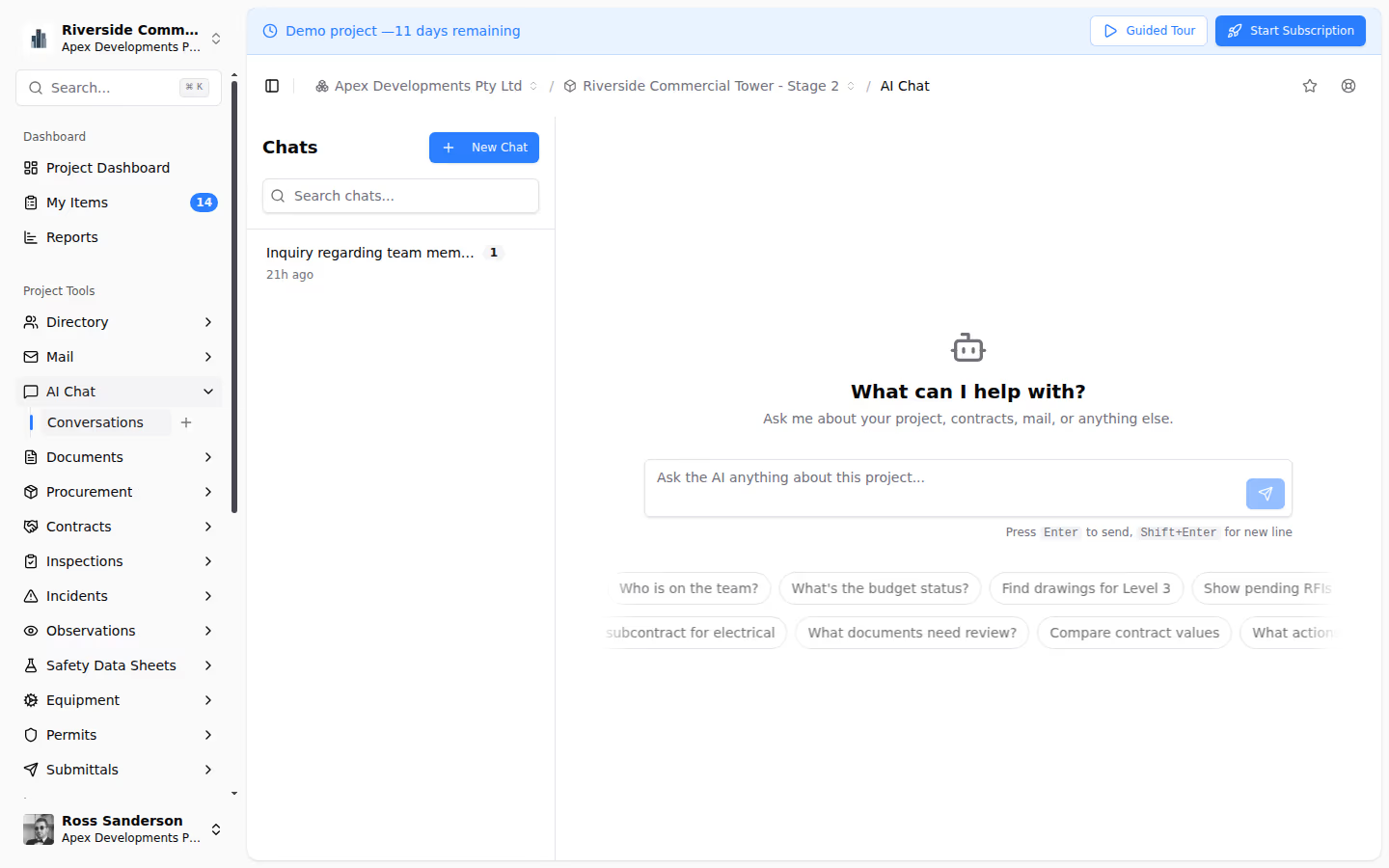
- Answers grounded in your project. AI Chat answers questions such as "what is waiting on me?" or "where is the claim position?" from the project's inspections, drawings, mail, contracts and program, and names the records each answer came from, so you can check before you act.
- It proposes, your people approve. In Act mode the assistant can draft a mail reply, raise an observation, create a permit or complete a workflow step, and nothing happens until someone selects Approve. In Ask mode it is read only.
- It reads with your permissions. The assistant checks the permissions of the person asking every time it searches or reads, so it never shows anyone a record they couldn't open themselves. Learn more about what the AI can read.
- It works with the AI you already use. If your business already uses Claude or ChatGPT, a connector lets that assistant search and act on your Teralo projects with the same checks.
- Your prompts don't train models. Teralo does not use your prompts or the answers to train any model. Learn more about privacy and training.
That is AI adoption a board can report on with confidence: it is used inside the daily work, its answers can be traced to a record, and every action it takes has been approved by a person.
Adopting It Without Disrupting the Business
Disruption is the hidden cost of most technology programs. A few principles keep it low:
- Start with one project. Configure the workflows and permissions you already use, run one live project, and save what works as organisation templates for the next.
- Bring the supply chain in as guests. Subcontractors and consultants join your project as guests. They add their claims, permits and inductions to your tools, and see only their own company's records in most registers.
- Keep the systems that work. Accounting stays in Xero or QuickBooks, and programs can come across from Microsoft Project. Teralo connects to what you have rather than replacing all of it at once.
- Let the data prove it. Build a dashboard of the measures the board asked about at the start, and let it update from the work itself.
Questions to Ask of Any Efficiency Initiative
Whatever tools you choose, these questions separate lasting change from short-term activity:
- Does it remove a step from the work, or add a new tool beside the old ones?
- Will the better process still be running after the people who designed it move on?
- Can the people closest to the work change it, or does every change need outside help?
- Can an AI answer be traced back to the record it came from?
- Does a person approve every action the AI takes?
- Can you measure the result from data your teams already capture?
If the answer to any of them is no, expect a short-term gain at best.
Conclusion
The board's mandate is right: construction businesses carry too much manual effort, and AI and modern tools can take a great deal of it out. The lasting gains come from the unglamorous, high-impact work of capturing information once, routing approvals through the process you already trust, and putting AI to work on your own records under human control. Teralo does all three on top of the way your teams already work, so the improvement stays after the rollout ends. To see how it would fit your business, request a demo.