Connectors
Connect Claude or ChatGPT so your assistant can work in Teralo.
A connector lets an AI assistant you already use, such as Claude or ChatGPT, search and act on your Teralo projects. Teralo runs a remote MCP (Model Context Protocol) server, and any assistant that supports MCP connectors can connect to it.
The assistant gets the same tools as AI Chat, plus one that lists your projects. It sees and does only what your own Teralo account can.
- Select your name at the bottom of the sidebar, then Settings.
- Under Account, select AI Connectors.
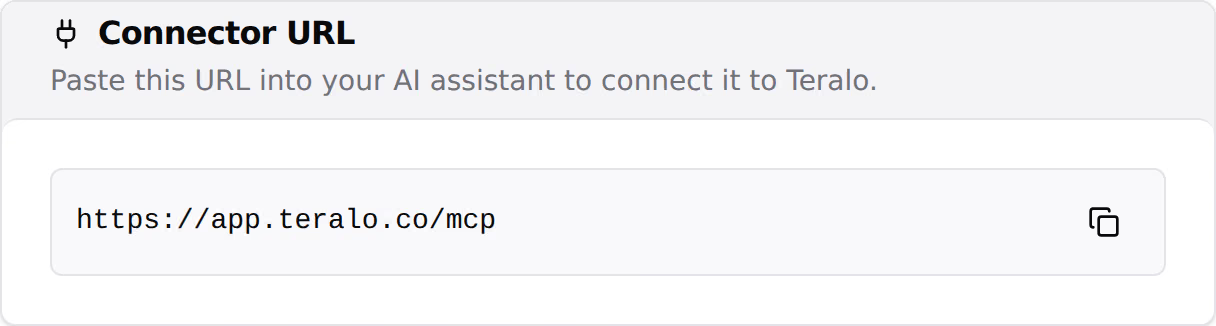
- Under Connector URL, select the copy icon beside the URL.
Anyone signed in to Teralo can open the page.
- In Claude, open Settings, then Connectors.
- Select Add custom connector.
- Paste the connector URL and confirm.
- Sign in to Teralo when the browser opens, then choose the access to allow.
- In ChatGPT, turn on developer mode.
- Open Settings, then Connectors.
- Select Create and paste the connector URL.
- Sign in to Teralo when the browser opens, then choose the access to allow.
You sign in on Teralo's own page in your browser, so your Teralo password is never given to the assistant. A consent screen then lists what the assistant may do:
- View your project data is always included.
- Create and modify records lets the assistant create records, send mail and act on workflow steps assigned to you. It is on by default. Turn it off for read-only access.
Select Allow to connect, or Deny to cancel.
On a read-only connection, Teralo doesn't offer the assistant any tool that writes, and refuses one if the assistant calls it. To change the access later, connect again from the same assistant. The new choice replaces the old one.
Warning: Teralo carries out a write, such as sending mail, as soon as the assistant calls it. Any confirmation before that is the assistant's own.
- Your data: each call is checked against your account and your permission template on the project, at the moment it runs. A guest's assistant sees only what that guest sees. Learn more about what the AI can read.
- Your projects: one connection covers every project you're on, in every organisation you belong to. Each call names one project.
- The project list: the projects you're on, plus every project your organisation hosts if you're an administrator. A project appears only where you have Can access AI Chat.
- Archived projects: the assistant can read them but not write to them, whatever access you allowed.
- Limits: 60 calls a minute per person.
A connected assistant runs on its own model, so most calls spend no Teralo AI credits.
Reading the pages of a document is the exception. It runs Teralo's own page reader and spends credits as AI Chat does: host staff spend the host's credits, and a guest spends their own organisation's unless they have Can use the host organisation AI allowance. This applies on a read-only connection too. Learn more about AI credits.
Connected clients on the AI Connectors page lists each connection to your account: the assistant's name, Read-only or Read & write, the date it was connected and the date it was last used. Teralo Desktop appears there too, once per computer.
Teralo logs each call a connected assistant makes, with the tool, the project, the request and whether it succeeded.
- On the AI Connectors page, under Connected clients, select Revoke on the connection.
- Select Revoke to confirm.
The assistant loses access straight away. You can reconnect it later with the connector URL.
Teralo also disconnects every connection when your password is changed or reset. A connection that goes unused for 30 days expires, and the assistant has to connect again.
Each connection belongs to one person, and nobody else can see it. There is no organisation-wide connector and no setting that allows or blocks connectors for an organisation. Each person who wants one connects their own assistant.
You don't have Can access AI Chat on that project, or your membership of its organisation is still pending. Only the host can change your permission template. Learn more about how permissions work.
Yes, within one conversation. Each call it makes still names a single project.