The public portal
Set up the public pages for your organisation and projects.
Found in each project and your organisation. What's the difference?
Hosts configure it; anyone with the address can read it, no sign-in needed.
The public portal is a set of web pages anyone can open without signing in: one for your organisation, and one for each project it hosts. Workers use a project's page to register for induction, sign in at the gate and find the site's PPE requirements. The tool that configures the portal is Public Site.
Note: A project's portal is live from the day the project is created until it is archived. There is no setting to turn a project portal off.
The organisation portal shows your organisation's name, logo, description and cover photo, and lists its active projects under Projects. Visitors choose a List, Tile, Detailed or Map view, and select a project to open its portal. Archived projects are not listed.
The organisation portal is on by default. Turning it off doesn't affect the project portals.
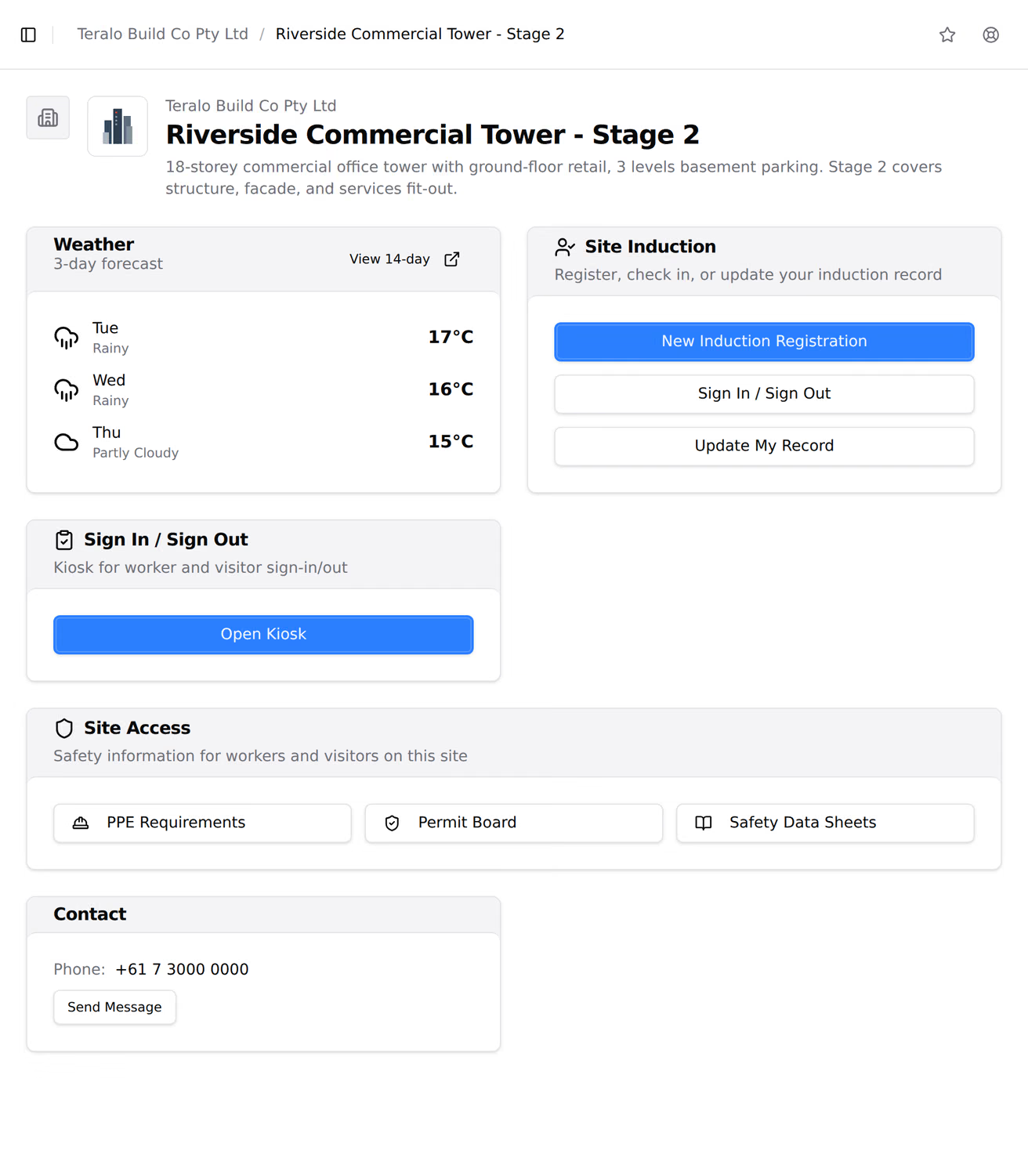
Each project portal shows:
- the project's logo, cover photo and description;
- a weather forecast for the site, once the project has a site address;
- Site Induction, where workers register;
- the sign-in kiosk;
- Site Access links to PPE Requirements, the Permit Board and Safety Data Sheets;
- Site Documents, with the number of documents you have published;
- Contact, with the contact phone number and a Send Message button, when they are set.
Its sidebar also links to Equipment, Method Statements, Contact Us and the organisation portal.
These appear on the project portal from their own tools, with no Public Site setting:
- permits that are approved, active, on hold, completed or closed out, on the Permit Board;
- accepted safety data sheets, with their PDFs;
- equipment marked as on site;
- accepted method statements, with their documents.
Warning: Anyone with the portal's address can download the accepted safety data sheets and method statements on it.
A worker registers for induction from Site Induction, before their first day. Registration asks for their organisation, personal, contact and emergency details, an optional vehicle, licences, medical information, the method statements they work under, the induction itself and a declaration. Learn more about inductions.
The kiosk is a tablet page for the site entrance. A worker signs in as an Inducted Worker with their worker code or date of birth, and a visitor signs in as a Visitor. The kiosk also shows a QR code that people scan to sign in on their own phone. The kiosk's address is in the Inductions settings, on the Kiosk tab.
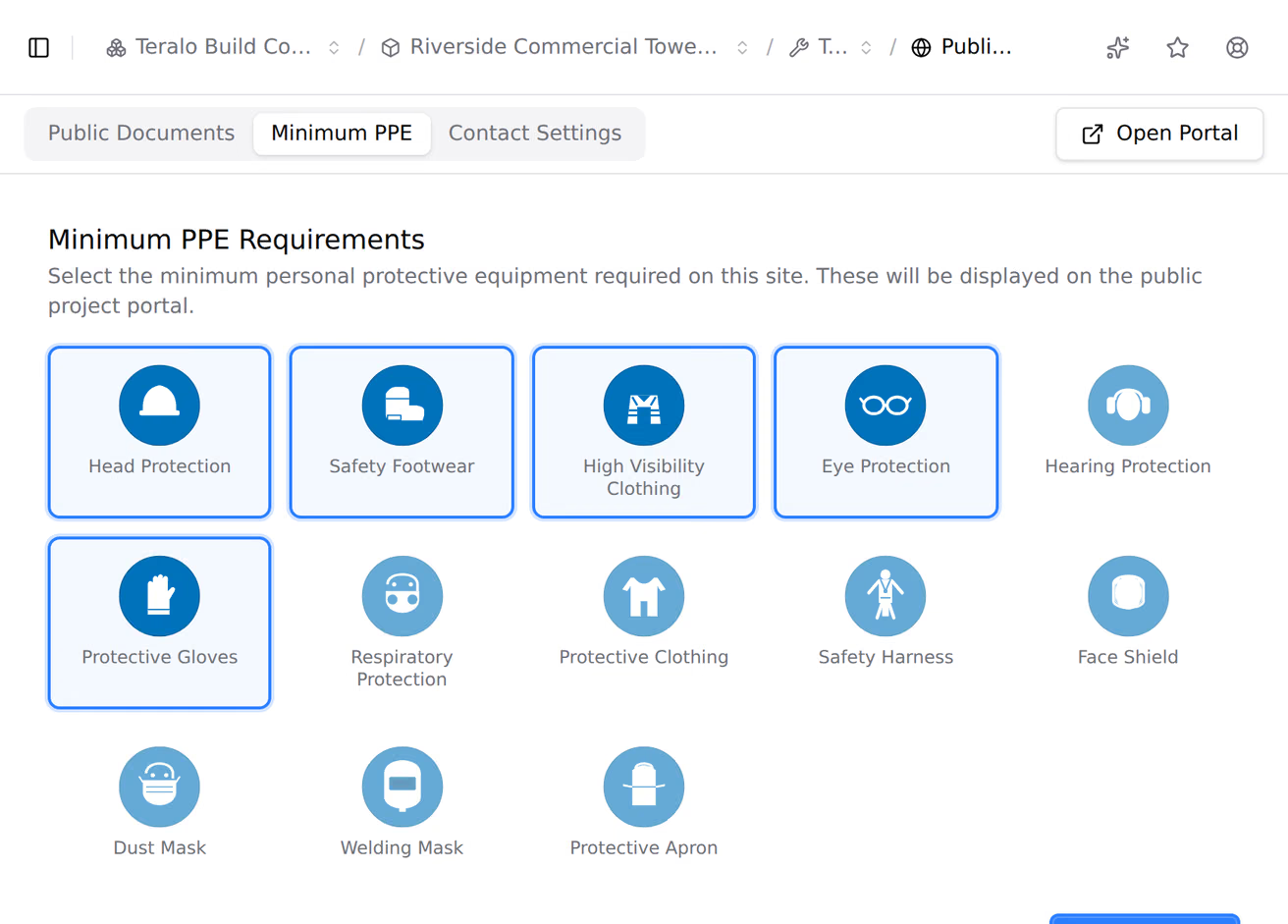
PPE Requirements shows the site's required PPE as ISO 7010 mandatory signs, each with its name underneath. A project created with Activate All Templates starts with head protection, safety footwear and high visibility clothing selected. Until some PPE is selected, the page reads No PPE requirements configured.
Contact Us asks for a name, email address, an optional phone number and a message, and checks the sender is not a bot. Teralo sends the message to the project's contact email, with the sender's address to reply to. Without a contact email, the page says the contact form is not set up.
- On the project's dashboard, select Public Site.
- In Project Public Site, select the copy icon beside the link, or select Download PDF or Print for the QR code.
For the organisation portal, select Public Site on the organisation's dashboard. Only host staff see the button on a project's dashboard.
Project portals are set up in the project sidebar, under Project Settings: select Tools, then Public Site. The page shows the portal's address and an Open Portal button, and has three tabs:
- Public Documents: tick the project documents to publish. The portal shows how many are published, and visitors can't open them from the portal.
- Minimum PPE: select the signs to show on PPE Requirements.
- Contact Settings: the Contact Email that receives the contact form (leave it blank to hide the form), and the Contact Phone.
Select Save Settings to save all three tabs.
The organisation portal is set up in the organisation sidebar, under Organisation Settings: select Tools, then Public Site. It is available on a host account. Portal Enabled on the Contact Settings tab turns the organisation portal on or off; when it is off, the address shows a page not found. The organisation page also has Public Documents and Contact Email, which the organisation portal doesn't show.
The logo, cover photo and description come from the organisation's and the project's own settings, and the weather from the project's site address.
| Permission | Allows |
|---|---|
| Can view project tools | Opening a project's Public Site settings |
| Can manage project tools | Saving them |
| Can view organisation tools | Opening the organisation's Public Site settings |
| Can manage organisation tools | Saving them |
Only host staff can hold the project permissions. There is no permission specific to Public Site. Reading a portal needs no permission and no account.
No. A project portal is live until the project is archived. Turning off the organisation portal doesn't affect it.
No. The portal shows only how many documents are published. Accepted safety data sheets and method statements can be downloaded from their own pages.