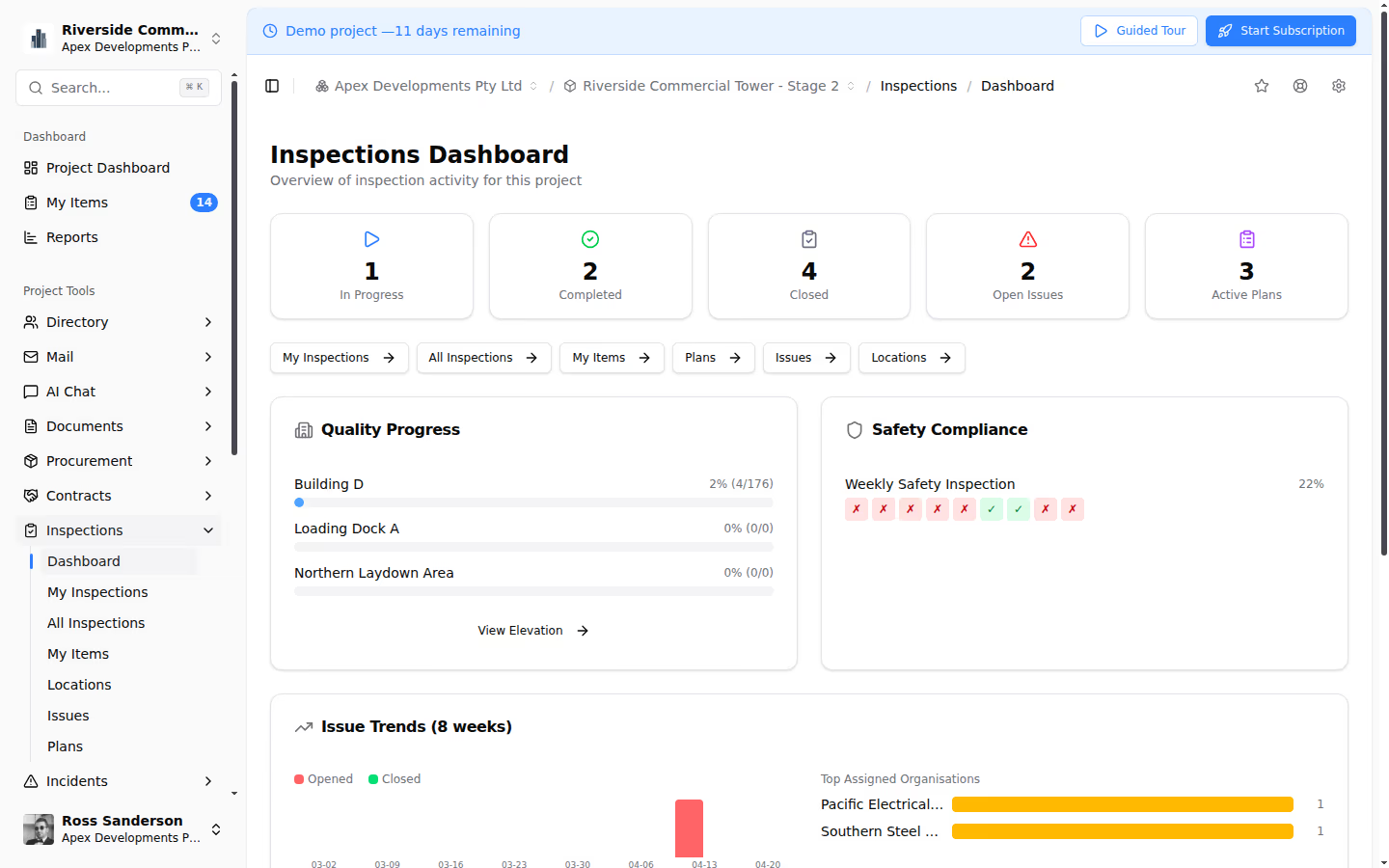
Teralo vs PlanGrid: Which Is Better for Field Teams?
Teralo and PlanGrid (now Autodesk Build) serve different aspects of construction management, but both are used by field teams. PlanGrid was originally a drawings-focused field app for viewing and marking up construction documents on tablets, while Teralo is a comprehensive construction management platform with deep capabilities across documents, correspondence, procurement, contracts, safety, site operations, quality, and intelligence.
Platform Overview
Teralo
Teralo is an all-in-one construction management platform designed for the full project lifecycle. It covers mail and correspondence, documents, procurement, contracts, safety, site operations, quality, and intelligence in a single integrated system. Field teams use Teralo for everything from site diary entries and inspections to document access and correspondence.
PlanGrid
PlanGrid launched as a mobile-first construction app for accessing and marking up drawings in the field. It was acquired by Autodesk in 2018 and has been integrated into Autodesk Build as part of the Autodesk Construction Cloud. Its core strengths are sheet management, field markup, RFIs, submittals, and punch lists.
Feature Comparison
Drawing and Document Access
Teralo provides a document management system with a register-based approach, multi-format viewer (PDFs, Excel, and native BIM/IFC), transmittals, approval workflows, and AI-powered search. Documents are accessible from any device.
PlanGrid/Autodesk Build excels at sheet management: uploading, versioning, and distributing construction drawings to field teams. Its mobile viewing experience for drawings is polished, with features like offline access, hyperlinks between sheets, and overlay comparison between revisions.
Verdict: PlanGrid/Autodesk Build has a more drawing-specific field experience. Teralo has a more comprehensive document management system with richer workflow and transmittal capabilities.
Field Markups and Annotations
Teralo supports PDF annotation within its document viewer, allowing field teams to mark up drawings and add comments.
PlanGrid/Autodesk Build was built around field markup as a core use case. Its annotation tools are extensive, covering stamps, measurements, text, freehand drawing, and cloud markups, with real-time syncing between field and office.
Verdict: PlanGrid/Autodesk Build has more mature field markup tools, reflecting its origins as a drawing markup app.
RFIs and Submittals
Teralo handles RFIs as a configurable mail type within its Mail module, with sequential numbering, threaded correspondence, distribution groups, and status workflows. Submittals are managed through the Quality module with package grouping and multi-step approval workflows.
PlanGrid/Autodesk Build offers RFI and submittal management with tracking, assignment, and status workflows. RFIs can be created from drawing markups, linking the query to a specific sheet location.
Verdict: Teralo provides more structured correspondence management for RFIs. PlanGrid's ability to link RFIs to drawing locations is a useful field-specific feature.
Safety and Inspections
Teralo provides comprehensive safety management: inspections with configurable checklists, incident management with investigation workflows, permits to work with expiry tracking, and observations.
PlanGrid/Autodesk Build offers inspection checklists and issue tracking. Safety management in the Autodesk Construction Cloud is spread across multiple products (Autodesk Build, BIM 360).
Verdict: Teralo provides deeper safety management in a single platform, particularly for permits to work and incident investigation.
Site Operations
Teralo includes dedicated site operations tools: site diary, meetings with action tracking, and resource bookings/scheduling. These are purpose-built for daily construction site management.
PlanGrid/Autodesk Build offers daily reports/logs but does not have the same breadth of site operations tools. Meeting management and resource bookings are not core features.
Verdict: Teralo has significantly more comprehensive site operations capabilities.
Procurement and Contracts
Teralo manages the full procurement lifecycle and contract administration: packages, tenders, progress claims, budgets, variations, and financial dashboards.
PlanGrid/Autodesk Build does not provide procurement or contract management. Financial management in the Autodesk Construction Cloud is handled by Autodesk Build's cost management module, which covers budgets, contracts, and change orders but is a separate product.
Verdict: Teralo provides integrated procurement and contract management. PlanGrid/Autodesk Build requires additional Autodesk products for this functionality.
Project Intelligence
Teralo includes a configurable project dashboard, AI chat for natural language queries, and custom reports.
PlanGrid/Autodesk Build offers analytics through Autodesk Construction Cloud Insights, with dashboards and reporting across projects.
Verdict: Both offer project intelligence, with different strengths. Teralo's AI chat is distinctive.
The Integration Question
A key consideration is ecosystem integration:
Teralo is a self-contained platform where all modules share data natively. There is no integration overhead between documents, correspondence, procurement, contracts, safety, and operations, because they are all part of the same system.
PlanGrid/Autodesk Build is part of the Autodesk Construction Cloud, which includes multiple products (Autodesk Build, BIM Collaborate, Autodesk Docs, etc.). Data flows between these products, but each has its own interface and learning curve. If you also use Autodesk design tools (Revit, AutoCAD, Civil 3D), the integration within the Autodesk ecosystem is a significant advantage.
Who Should Choose Which?
Choose Teralo if:
- You need a single platform covering the full construction management lifecycle
- Structured correspondence and document control are important to your projects
- You need integrated safety management with permits to work
- You want procurement and contract management in the same platform
- You operate in international markets where formal workflows are standard
Choose PlanGrid/Autodesk Build if:
- Your primary need is drawing distribution and field markup
- You are heavily invested in the Autodesk design ecosystem (Revit, AutoCAD)
- You need polished offline access for drawing viewing in the field
- You are already using Autodesk Construction Cloud products
Conclusion
PlanGrid/Autodesk Build is an excellent field tool for drawings and markups, but it is not a comprehensive construction management platform. Teralo provides the full breadth of construction management, spanning correspondence and document control through procurement, contracts, safety, and site operations, in a single integrated system that field teams and office teams alike can use effectively.