How Are Bookings Essential to a Smooth Construction Program?
Bookings are essential to smooth construction programs because they prevent resource conflicts, reduce downtime, and ensure that shared assets like cranes, hoists, meeting rooms, and laydown areas are available when teams need them. Without a structured booking system, construction sites suffer from double-bookings, idle equipment, and scheduling disputes that cascade into program delays.
Why Resource Scheduling Matters on Construction Sites
Construction sites are dynamic environments where multiple contractors, trades, and suppliers compete for the same shared resources every day. A tower crane cannot serve two concrete pours simultaneously. A site meeting room cannot host two toolbox talks at the same time. A loading bay cannot accommodate two deliveries at once.
When these conflicts go unmanaged, the consequences compound quickly. A missed crane slot delays a structural pour, which pushes back formwork stripping, which delays the next floor cycle. What started as a scheduling oversight becomes a week of lost progress.
The Hidden Cost of Unmanaged Bookings
Most construction projects still manage shared resources through spreadsheets, whiteboards, or verbal agreements. This approach breaks down as projects scale:
- No single source of truth: different teams maintain different schedules, leading to conflicting assumptions
- No conflict detection: double-bookings are only discovered when two crews arrive at the same resource
- No visibility: project managers cannot see resource utilisation patterns or identify bottlenecks
- No accountability: when a booking is missed or overrun, there is no audit trail
What Makes a Good Construction Booking System
An effective booking system for construction needs to handle the unique characteristics of site operations:
Shared Resource Types
Construction bookings cover a wide range of assets:
- Plant and equipment: tower cranes, hoists, concrete pumps, mobile cranes, forklifts
- Spaces: meeting rooms, site offices, laydown areas, loading bays, car parks
- Services: power supply connections, water supply points, temporary lighting
- Time slots: concrete pour windows, inspection slots, delivery windows
Calendar and Board Views
Site teams need to see bookings in the format that makes most sense for their role. Project managers want a weekly overview across all resources. Crane operators want a daily schedule for their specific asset. Logistics coordinators want a board view showing all delivery slots.
Conflict Detection
The system must prevent double-bookings in real time. When a subcontractor attempts to book a crane slot that is already taken, they should see the conflict immediately and be able to find the next available window.
Team-Wide Visibility
Every booking should be visible to the entire project team. When a concrete pour is scheduled for Thursday morning, the formwork crew, the pump operator, the testing lab, and the site supervisor all need to see it on their calendar.
How Teralo Handles Bookings
Teralo's Site Operations module includes a purpose-built bookings and scheduling system designed for construction projects.
Board, Week, and Register Views
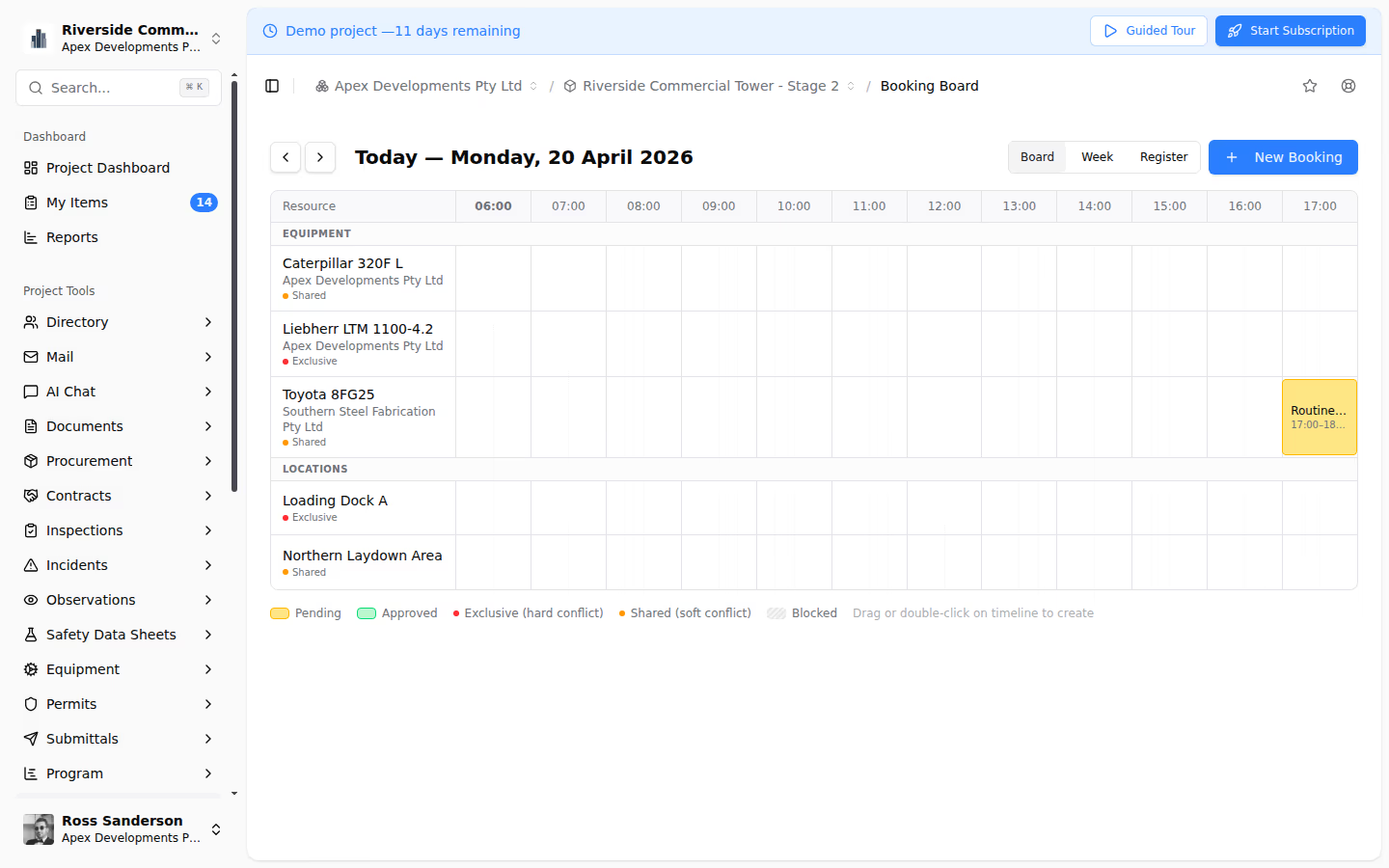
Teralo provides three ways to view bookings: a Kanban-style board grouped by resource, a weekly calendar view for time-based planning, and a register view for filtering and searching across all bookings. Teams can switch between views depending on their immediate need.
Conflict Detection and Notifications
When a booking is created, Teralo automatically checks for conflicts with existing bookings on the same resource. If a conflict is detected, the user is alerted before the booking is confirmed. Notifications are sent to relevant team members when bookings are created, modified, or cancelled.
Resource Configuration
Project administrators can configure the bookable resources for each project, defining resource types, availability windows, and booking rules. A tower crane might be available from 6 AM to 6 PM Monday to Saturday, while a meeting room is available 24/7.
Integration with Site Diary
Bookings in Teralo are linked to the site diary, so daily records automatically reflect what resources were in use and by whom. This creates a complete picture of site activity for any given day.
Best Practices for Construction Bookings
- Book early and confirm close to the date: submit bookings as soon as programme requirements are known, then confirm or release them 48 hours before the slot
- Set minimum lead times: require bookings to be placed at least 24-48 hours in advance to allow coordination
- Review utilisation weekly: examine booking patterns to identify underutilised resources or recurring bottlenecks
- Link bookings to programme activities: connect resource bookings to master programme tasks so changes to the schedule automatically flag affected bookings
- Establish cancellation policies: define rules for late cancellations so resources are not held unnecessarily
- Make the system the single source of truth: if it is not in the booking system, it is not booked
Conclusion
A structured booking system is not optional on modern construction projects. It is a fundamental coordination tool that keeps the programme on track. When managed digitally with a platform like Teralo, bookings become visible, conflict-free, and integrated with your broader site operations workflow.